
The Economist - World News
The Economist NewspaperNews & Magazines
4.91.75K Reviews
- Version
- 4.101.0
- Installs
- 1.00M
- Age Rating
- Teen
Screenshots




Our Review of The Economist - World News
 Analysis by Appyee
I use The Economist most when a headline needs more context than a quick alert can provide. The app gives me a focused way to follow international affairs, business, politics, science and technology, with reporting and analysis from The Economist Newspaper. It is a news and magazines app rather than a broad, everything-at-once feed, and that distinction matters: I turn to it to understand why a story matters, not just to see that it happened.
Who will get the most from it
I think it suits readers who like considered reporting and are willing to spend time with an article instead of skimming a stream of short updates. If you follow policy, markets or international relations, the publication’s analytical approach can help connect developments that might otherwise feel scattered. It is also useful if you want one dependable reading destination for a commute, a quiet break or a longer weekend session.
It is less compelling if your main need is an immediate, wide-ranging breaking-news feed, local coverage or a quick scan of many outlets’ headlines. A general news aggregator is usually better for comparing publishers and spotting a developing story across different perspectives. I would treat this app as a deliberate reading habit, not as my only source for every kind of news.
A practical way to make it part of the day
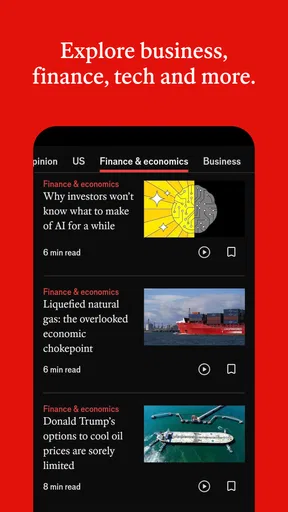
On a busy morning, I would start with the editor’s picks rather than opening every topic and trying to catch up all at once. That gives me a manageable entry point. If one story is especially relevant, I can follow it with a fuller read later, or listen while walking or doing chores. Saving articles for offline reading is useful before a journey where reception may be unreliable; it turns a spare moment into reading time without depending on a connection.
For a more useful routine, I would keep notifications narrow. A phone that interrupts me for every development quickly becomes noise, so choosing only the subjects I genuinely follow makes alerts easier to act on. I would also use the audio option for pieces I want to hear but not read immediately, while saving dense articles for a time when I can stop and think. Those small choices make the app feel less like another feed demanding attention and more like a personal news shelf.
Getting Started with The Economist App
Once I downloaded the app, the setup was as smooth as butter. It welcomed me with a clean interface, which I absolutely love. You know when an app just feels right? That's what I experienced here. Navigation is intuitive; everything is exactly where you'd expect it to be. No hunting around for the latest articles or having to decipher a complex menu. Just straightforward access to what matters.
Features that Stand Out
The Economist - World News offers a slew of features that make it more than just a digital version of the magazine. It's like having a knowledgeable friend who keeps you updated on the world's happenings. For starters, the daily editor's picks are a lifesaver. They curate the must-reads, saving me the trouble of sifting through endless articles.
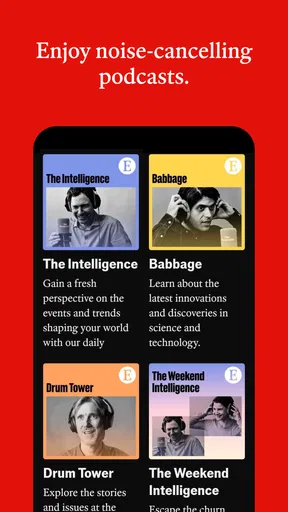
- Audio Edition: This is one of my favorite features. I can listen to articles while I'm on the go or even when I'm doing chores around the house. It's like a podcast, but with the quality content of The Economist.
- Offline Reading: Planning a trip or just know you'll be off the grid for a while? You can download articles for offline reading, which is super handy.
- Personalized Notifications: You can tailor notifications based on your interests, ensuring you're only pinged when something truly relevant comes up.
Making the reading tools work for you
The features are most helpful when they support a reading plan rather than encourage constant checking. I would use editor’s picks to choose a starting point, then save a longer piece for a moment when I can give it proper attention. That is a better fit for analysis than trying to absorb a complicated argument between other phone tasks. If an article includes a chart, pausing to inspect it before moving on can also make the explanation easier to follow; visuals are useful context, not decoration.
Audio and offline access solve different problems. Listening is convenient when my hands and eyes are occupied, but it is not always the best way to absorb figures or a tightly argued passage. In those cases, reading is easier to revisit. Offline downloads, meanwhile, are worth preparing before leaving home rather than assuming every piece will already be available without a connection. The practical trade-off is simple: choose the format according to the kind of story and the attention you can give it.
Content Quality
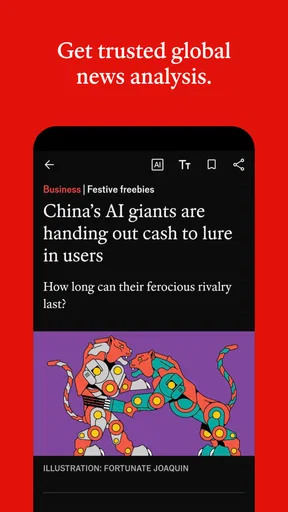
The app doesn't disappoint when it comes to content quality either. The articles are just as insightful and well-researched as you'd expect from The Economist. Whether it's politics, business, science, or technology, every piece is crafted with depth and nuance. And the best part? It’s all updated in real-time, keeping you in the loop with the latest developments.
I also appreciate that they often include interactive charts and graphs. These visuals make complex data easier to digest and enhance my understanding of the topics.
What the editorial approach does well—and where it may not fit
For me, the main strength is the effort to explain the forces behind events, rather than merely repeat a headline. That is particularly valuable when a story crosses borders or touches several subjects at once. The trade-off is that a deeper article asks for more time than a short bulletin, and a strong editorial voice will not be every reader’s preferred way into a subject. When I want a rapid rundown, I reach for a concise news service; when I want a more developed argument, this is the more natural choice.
I also avoid treating any single publication as a complete picture. For a contentious issue, I use the app to understand its reporting and framing, then compare it with other reputable coverage if I need a broader range of perspectives. That is not a weakness unique to this app; it is a sensible habit for reading news. The app is at its best as a source of depth within a wider information routine.
User Experience
Using the app feels like a premium experience. The design is sleek and modern, without unnecessary clutter. The font is easy on the eyes, making reading a breeze even during extended sessions. Plus, the dark mode is perfect for night-time reading.
What makes the app stand out is its seamless synchronization across devices. I can start reading an article on my phone and pick up right where I left off on my tablet or computer. It's all interconnected, which is a massive plus for someone like me who's constantly juggling multiple gadgets.
Choosing it with realistic expectations
The app is free to install, but some content or access may be tied to in-app purchases, which range from $6.90 to $289.00 per item. I would check the purchase details before committing and decide whether the publication’s style and the amount I expect to read justify the cost. Its average rating is 4.9 from around 80,000 ratings, and it has more than 1 million installs; that suggests a substantial audience, though popularity alone cannot tell me whether its editorial approach suits my needs.
It is rated Teen, and the current version is 4.74.0. The app was released on December 2, 2019, and runs on operating systems version 10 or later. Those details are useful when checking whether an older device can install it. The developer is The Economist Newspaper, which is also the publisher behind the journalism at the heart of the experience.
One question I would ask before making it a daily habit is whether I want a publication-led experience or an outlet-neutral feed. This app is clearly the former: its value comes from reading its journalism in a dedicated environment. Another is whether I prefer reading or listening; audio is convenient, but it cannot replace a careful look at charts or passages I want to revisit. And if I need local alerts or a broad mix of sources, I would keep a general news app alongside it rather than expect one publication to cover that role.
Final Thoughts
All in all, the app is a strong choice for anyone keen on staying informed about global events through detailed journalism. It combines high-quality reporting with a user-friendly interface, making it a worthwhile option for readers who want more than a quick headline. Whether you're already familiar with The Economist or are exploring its coverage for the first time, the app offers a focused way to read and listen, provided its style and purchase options work for you.
So, if you're looking to make room for more thoughtful news reading, give it a try. I would start with the editor’s picks, narrow the notifications, and see whether the articles earn a regular place in your routine. If what you really want is the fastest possible scan across many publishers, choose an aggregator instead; if you want considered international analysis in a convenient reading app, this is an appealing fit.
Verdict
Strengths of The Economist - World News
- Comprehensive global news coverage.
- In-depth analysis and insights.
- User-friendly interface design.
- Offline reading available.
- Regularly updated content.
Limitations of The Economist - World News
- Requires subscription for full access.
- Limited free articles.
- Occasional app crashes.
- No dark mode option.
- Heavy on data usage.
Other Releases by The Economist Newspaper
View All
Espresso: World news in a shot
News & Magazines4.7
Similar Picks in This Category
View All
Google News - Daily Headlines
Google LLC4.0

X
X Corp.4.8

Flipboard:Your Social Magazine
Flipboard3.4

Opera News: breaking & local
Opera4.5

Hindi News by Dainik Bhaskar
Dainik Bhaskar Group4.0

Way2News Daily News App
Way2News ( Formerly Way2SMS )4.6
Frequently Asked Questions
What features does The Economist - World News app offer?
The Economist - World News app provides users with access to in-depth articles, analysis, and commentary on global events. It features a sleek, user-friendly interface, daily briefings, audio versions of articles, and access to digital-only content. Users can personalize their reading experience by selecting topics of interest and saving articles for offline reading.
Is a subscription required to access all features in the app?
Yes, while The Economist - World News app offers some content for free, a subscription is required to access all articles and features. Subscribers gain full access to digital editions, the complete audio version of each week’s issue, and exclusive content. Various subscription plans are available, including digital-only and print plus digital options.
How can I personalize my reading experience in the app?
The app allows users to tailor their experience by selecting specific topics or regions of interest, ensuring they see the most relevant content. Users can also save articles to read offline, receive personalized notifications, and adjust text size for easier reading. These features help create a customized and engaging user experience.
Does the app offer offline reading capabilities?
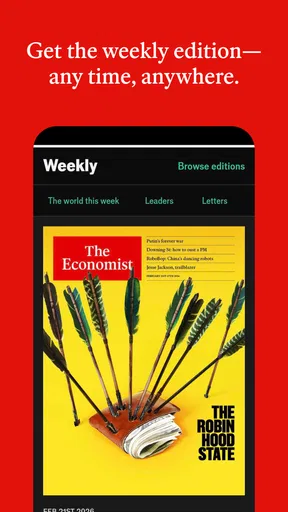
Yes, The Economist - World News app allows users to download articles and issues for offline reading. This feature is particularly useful for users who want to stay informed while traveling or in areas with limited internet access. Simply save the articles or issues you’re interested in, and access them anytime, anywhere.
Are there audio versions of the articles available in the app?
Absolutely, The Economist - World News app offers audio versions of most articles, allowing users to listen to content on the go. This feature is ideal for those who prefer auditory learning or wish to multitask while staying informed. Subscribers have full access to the audio edition of each week’s issue.
